
System-wide equalizer for Linux
One equalizer for everything your Linux PC plays, set up in two minutes.
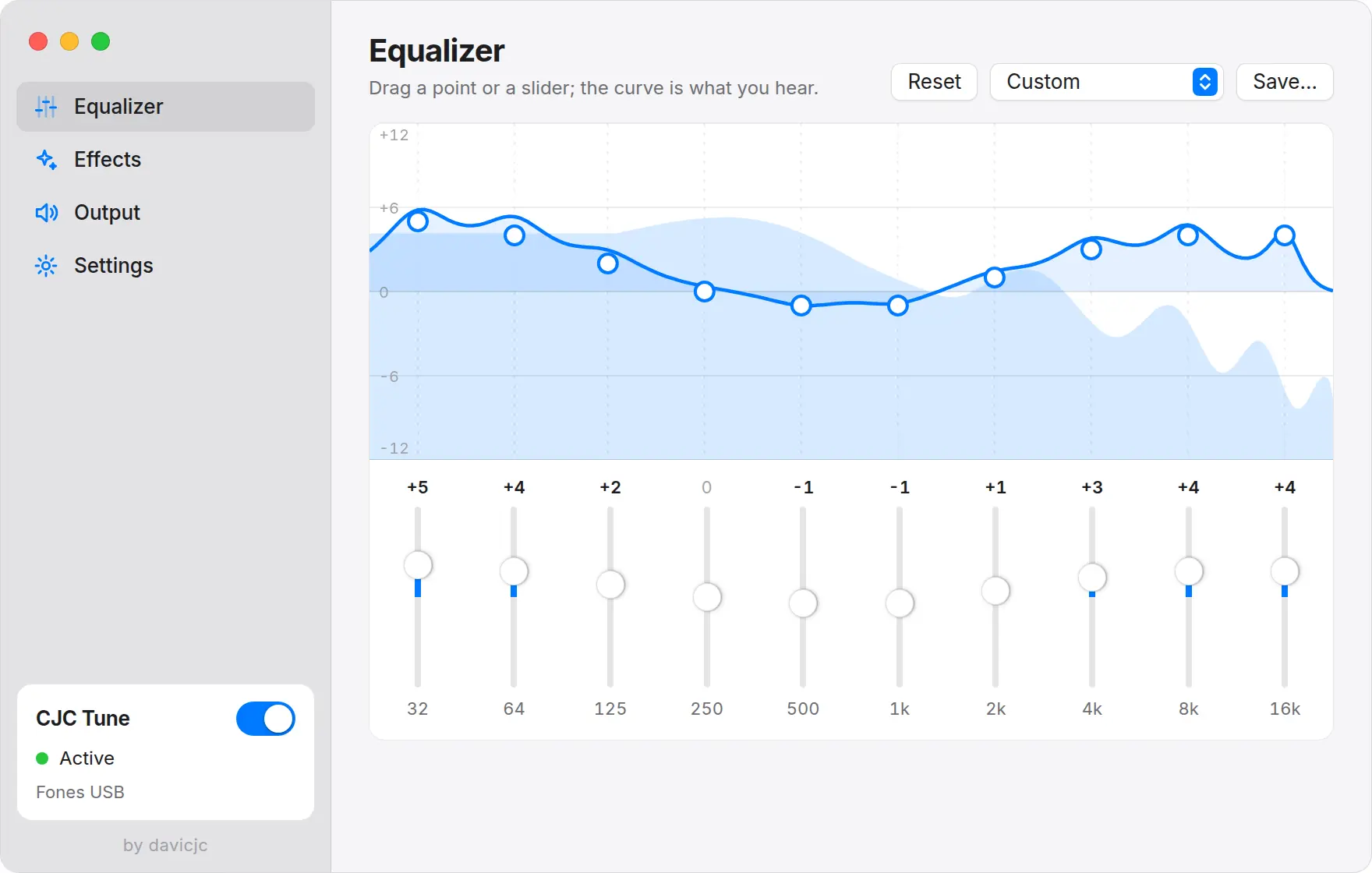
Most Linux desktops let you pick an output and a volume, but none ships a system-wide equalizer. To change bass, mids and treble for every app you need something that sits between the apps and your headphones.
CJC Tune does exactly that. It adds an output called CJC Tune, makes it the default, and runs everything through a 10-band equalizer and five effects. It works with PipeWire and PulseAudio.
Install
- Download the AppImage (any distribution) or the .deb (Debian, Ubuntu, Mint).
- For the .deb:
sudo apt install ./cjc-tune_1.0.0_amd64.deb. For the AppImage:chmod +xand run it. - Open CJC Tune. System sound goes through it right away.
Tune it
- Pick a preset (Music, Movies, Gaming, Bass Boost) or drag the points on the curve.
- HyperBass makes the low end fuller; Fidelity brings back detail in the highs.
- Save your curve under a name with Save….
If sound ever crackles or disappears, right-click the tray icon and choose Restart audio service.